
Branches & territories
Keep customer ownership clear across geographic teams. Map territories and reporting responsibilities; overlapping coverage needs assessment.
Bring field activity, sales, collections and manager visibility into an agreed operating setup. Connect the data your team needs through verified workflows and carefully scoped integrations.
Configured around your people, responsibilities and source systems.

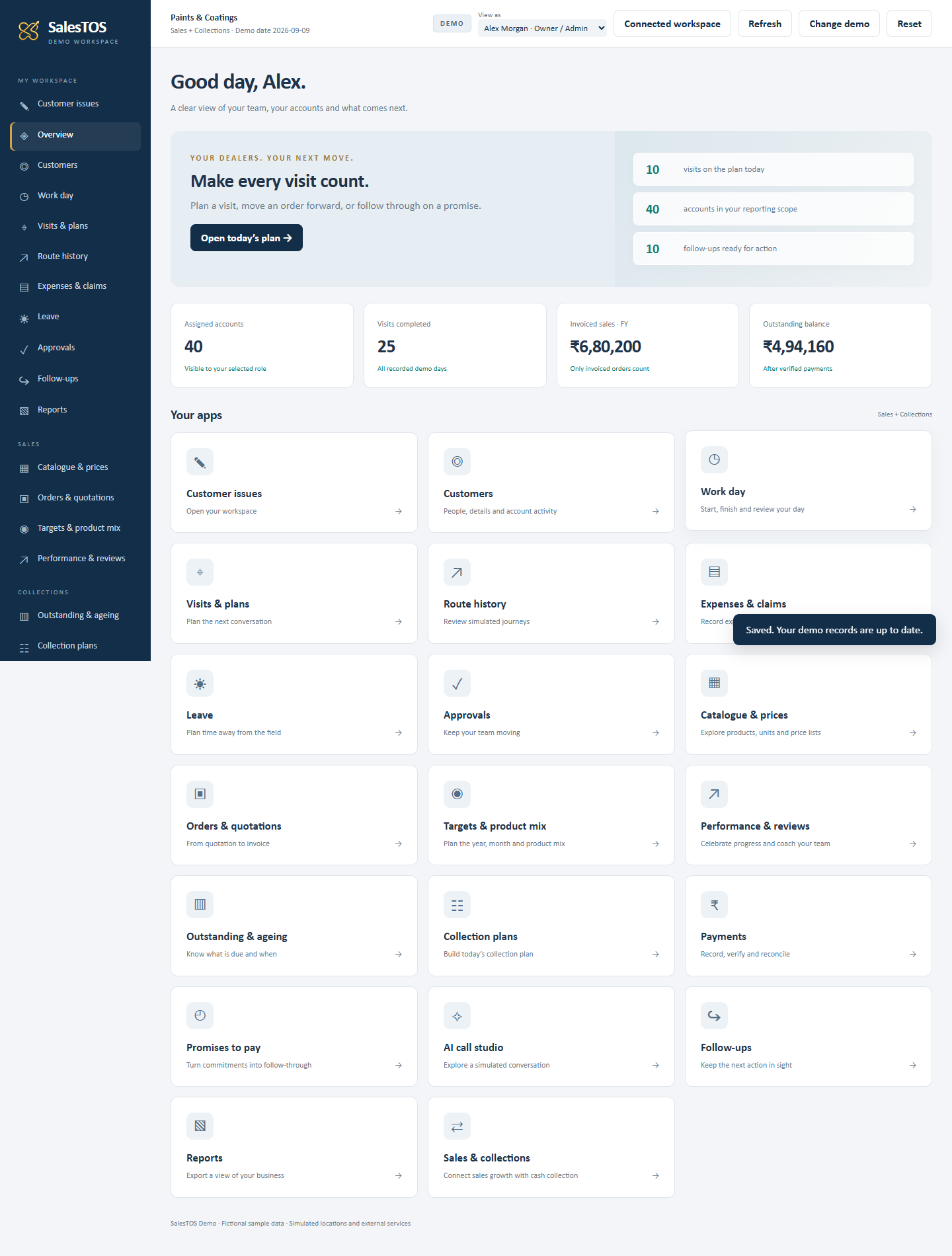

Actual SalesTOS demo screens · fictional sample data.
Demo modules are illustrative; production scope is agreed separately.
Enterprise is relevant when a standard workflow needs a considered configuration, a system connection or a defined implementation project.
Keep customer ownership clear across geographic teams. Map territories and reporting responsibilities; overlapping coverage needs assessment.
Give managers the records relevant to their teams. Review your hierarchy and test access at each level.
Separate employee, manager and administrator responsibilities through configured permissions. Bespoke access models need validation.
Make the next reviewer clear in enabled workflows. Assess custom stages and exception rules before promising a new approval chain.
Bring the right customer, product or balance context into daily work. Confirm the supported connector and each data object.
Start from enabled reports and shared metric definitions. Cross-system datasets and custom management views require scope.
Keep financial and master-record ownership explicit. Decide which fields SalesTOS may update and which it must preserve.
Review sample data and roles before inviting the full team. Agree import work, training and rollout responsibilities.
Capabilities depend on enabled modules, permissions and the agreed package. Each row separates configuration from additional scope.
People work within assigned roles and reporting relationships.
Managers review the records available within their reporting scope.
Configure managers, role assignments and enabled modules.
Unusual matrix structures, cross-company reporting and bespoke escalation rules need assessment.
Representatives work with assigned customers and territory context.
Managers review ownership and customer coverage.
Agree customer codes, owners and territory mappings.
Migration, overlapping ownership and exceptions need a mapping review.
Employees record attendance and customer visits in enabled workflows.
Managers review recorded times, locations and visit activity.
Confirm location permissions, relevant roles and working processes.
Device conditions, attendance policies and external HR rules need assessment; location is not payroll approval.
Sales teams record customer requirements and product quantities.
Authorised users review submitted order records.
Set up the catalogue, prices and the available review workflow.
ERP posting, inventory reservation and custom approval chains require separate scope.
Teams record collections, promises and follow-up actions.
Managers review outstanding context and recorded collection activity.
Agree customer matching, review responsibilities and enabled collection options.
Balance feeds, financial reconciliation and accounting writeback need assessment. A recorded payment is not proof of cleared funds.
Teams contribute activity and transaction records through their daily work.
Managers use enabled reports within their authorised scope.
Choose relevant modules, filters and reporting responsibilities.
Cross-system consolidation, new metrics and external BI datasets require agreed definitions and scope.
Users sign in with assigned roles and permissions.
Authorised administrators manage the access available to each role.
Review module permissions, reporting relationships and customer assignments.
Special access models need testing. SSO or dedicated hosting is not promised by this page.
Authorised users use supported import templates or configured connections.
Owners review import results and supported integration status.
Map identifiers, fields and the source system for each record.
A registry entry is not a ready connector. Additional objects and two-way flows require assessment.
A pilot team checks the agreed workflow with representative data.
Project owners review acceptance criteria and rollout readiness.
Agree onboarding, training, responsibilities and support arrangements.
Delivery dates, custom development, usage limits and service commitments belong in the commercial scope.
See what is implemented, what can use a supported file and what needs a custom assessment.
Bring Business One context into field sales.
Explore data & scopeConnect employee identity and attendance events.
Explore data & scopeStart with an approved template and a reviewable import.
Explore data & scopeAgree responsibilities and test the real workflow before expanding the setup.

You share the operating problem, team structure and priorities. We identify the workflows to review.
You provide interface details and redacted samples. We assess available paths and mapping gaps.
Together, document objects, access, deliverables, costs and acceptance criteria.
Your system owner authorises access. SalesTOS configures the agreed modules and implemented connection scope.
Users exercise realistic scenarios. Both teams review errors, access and reconciliation before acceptance.
Agree onboarding, operational ownership and support. Review changes against the accepted scope.
Consider Enterprise when branches, reporting levels, approvals or system dependencies need a tailored setup beyond your selected standard package. Begin with the workflow that is difficult today and the people responsible for it.
Enabled modules and role permissions can shape what users work with. Confirm the required combination for each team; specialised processes and exceptions need assessment rather than an assumption that every module is included.
Reporting relationships, territories and customer assignments provide operating structure. Share the branch hierarchy and access boundaries so the proposed mapping can be tested, especially where managers cover overlapping teams.
Review the selected package, enabled modules and written implementation scope together. Integration objects, custom work, usage limits and support arrangements should be explicit before rollout.
There are verified scoped Business One reads and ERPNext workforce workflows. Other ERP products and additional objects require assessment of edition, authorised interfaces, sample records and ownership. The directory distinguishes these cases.
Yes, where the enabled workflow has a supported template, such as product CSV import. Start with a sample and review validation results. A general Excel file or a deployment-specific importer is not automatically supported for every account.
Agree an owner for each record and field. An ERP may own product codes and posted invoices while SalesTOS owns visit notes and follow-ups. Resolve conflicting updates through that mapping rather than letting both systems overwrite every field.
The implemented workflow determines when data refreshes. Configured jobs and file uploads have different timings. Agree refresh windows and visible data cut-offs; neither an API nor Enterprise status implies real-time updates.
Only for specifically implemented and authorised objects. For example, ERPNext check-in events have a configured outbound path. A read-only ERP master feed does not imply order, payment or invoice posting.
Supported workflows have their own job or error records. An owner must review the failure, correct the cause and use the supported retry path. Monitoring, retry limits and reconciliation for a new connector must be part of its acceptance criteria.
Roles, module permissions, reporting relationships and assignments control access in the relevant workflows. Test representative employee and manager accounts during the pilot. Custom access rules require review; SSO is not assumed.
Review a redacted sample, stable customer codes, required fields and ownership. Customer migration must use an appropriate enabled importer or an agreed implementation task; do not assume any spreadsheet can be uploaded unchanged.
Export availability depends on the enabled report or workflow and the user’s permissions. Confirm the required fields and format in a demo. Custom extracts, automated feeds and external BI access need their own scope.
Share team-size range, branches, reporting structure, existing systems and the main operational problem. Redacted sample records and interface documentation help define the data scope. Do not submit passwords or API secrets through this form.
A representative pilot is a useful proposed rollout stage. Agree its participants, enabled modules, data, duration and acceptance criteria as part of the engagement; a free or fixed-length pilot is not promised.
Scope depends on users, modules, source interfaces, data objects, mapping complexity, custom workflows and rollout support. Agree implementation work and recurring charges separately, including third-party costs where applicable.
Identify employee, manager and administrator training needs and who will own day-to-day operation. Training format, support channels, coverage and escalation commitments must be agreed for the engagement.
Changes to provider APIs, fields, permissions or business rules can affect a connection. Define an owner and review process for those changes. Additional development, testing and commercial terms should be agreed before expanding the scope.
No matching questions. Clear your search or discuss your requirements with us.
Tell us about your team and the workflow you want to connect. Your request goes into the existing SalesTOS enquiry queue.
Submitting an enquiry does not create a workspace or activate a connector.